> [!CAUTION]
> **Caution** : Document AI Warehouse is deprecated and will no longer be available on Google Cloud after January 16, 2025. To safeguard your data, migrate any documents currently saved in Document AI Warehouse to an alternative like Cloud Storage. Verify that your data migration is completed before the discontinuation date to prevent any data loss. See [Deprecations](https://docs.cloud.google.com/document-warehouse/docs/deprecations) for details.
> [!WARNING]
>
> **Preview**
>
>
> This feature is
>
> subject to the "Pre-GA Offerings Terms" in the General Service Terms section of the
> [Service Specific
> Terms](https://docs.cloud.google.com/terms/service-terms#1).
>
> Pre-GA features are available "as is" and might have limited support.
>
> For more information, see the
> [launch stage descriptions](https://cloud.google.com/products/#product-launch-stages).
> [!NOTE]
> This feature is subject to the [Data Processing and Security
> Terms](https://cloud.google.com/terms/data-processing-terms) and the [GenAI Trusted Tester Terms of Service](https://cloud.google.com/trustedtester/aitos).
> [!NOTE]
> **Note:** You can **report suspected abuse** of the service or any generated output that contains inappropriate material or inaccurate information [through this form](https://support.google.com/code/contact/cloud_platform_report).
This document describes how to update existing documents with newly processed
results from another Document AI processor.
## Current limitations
The [ProcessWithDocAi
pipeline](https://docs.cloud.google.com/document-warehouse/docs/reference/rest/v1/projects.locations/runPipeline#ProcessWithDocAiPipeline)
can only work with documents that have been processed using a Document AI processor.
## Configure schema mapping in document schema (admin only)
The [Set schemas with mapping](https://docs.cloud.google.com/document-warehouse/docs/set-schema-with-mapping)
document describes how to configure properties of a
Document AI Warehouse schema to be mapped with extracted entities from
Document AI.
You can follow [Add schemas](https://docs.cloud.google.com/document-warehouse/docs/gcc-create-schema) to set
up the schema.
## Process documents
After setting up the schema, do the following to process the document.
1. Open [documents page](https://console.cloud.google.com/ai/docai-warehouse/documents).
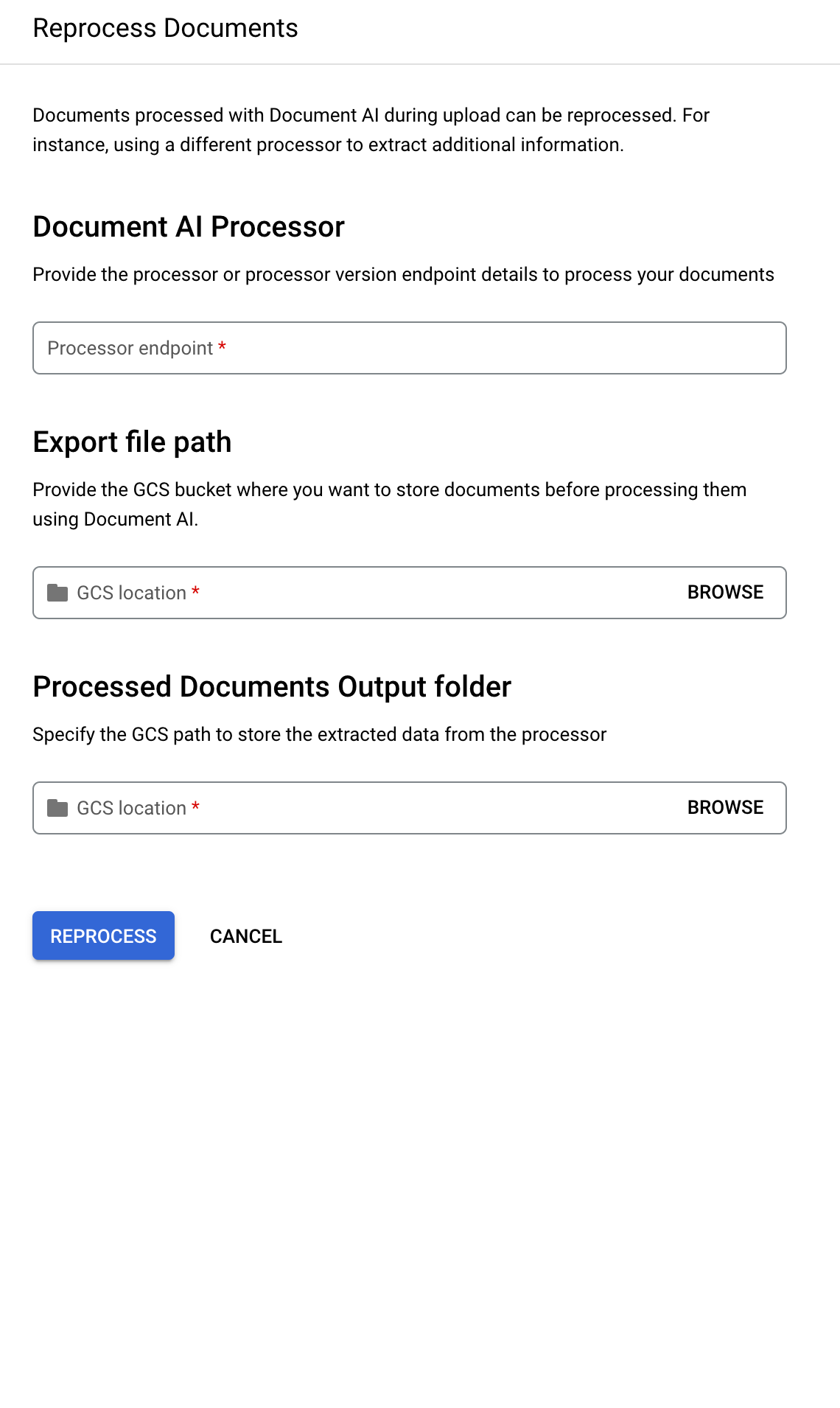
2. Select one or more documents from the table, then click **Reprocess**.
3. Provide the **Processor endpoint** of the Document AI processor you want use to
process your documents.
4. Fill in **Export file path** and **Processed Document Output folder**.
5. Click **Reprocess** , then you can find the processing details on the
**Job detail** page.